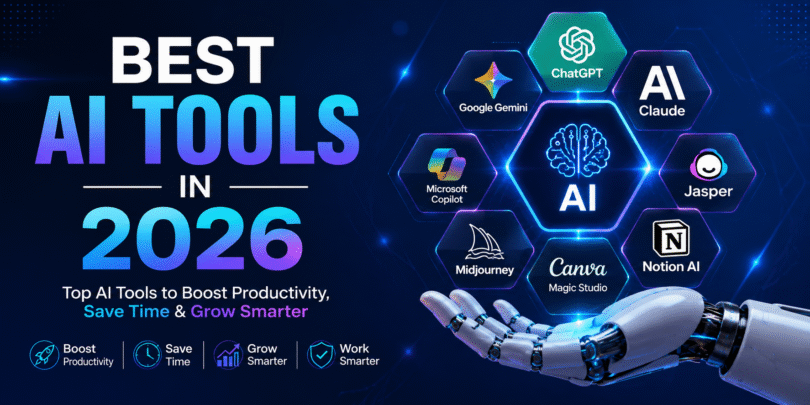

Artificial Intelligence (AI) is transforming the way we work, learn, create, and communicate. From content writing and graphic design to coding and customer support, AI-powered tools are helping individuals and businesses save time while improving productivity.
In this guide, we’ll explore the best AI tools in 2026, highlighting their features, use cases, pricing, and why they stand out in today’s rapidly evolving AI landscape.
Why AI Tools Matter in 2026
AI has become more accessible than ever. Businesses use AI to automate repetitive tasks, marketers generate content in minutes, designers create stunning visuals, and developers write better code with intelligent assistance.
Some key benefits include:
- Increased productivity
- Faster content creation
- Improved decision-making
- Better customer support
- Reduced operational costs
- Smarter data analysis
1. ChatGPT
Best for: Content writing, research, coding, brainstorming
ChatGPT remains one of the most versatile AI assistants available. Whether you’re writing articles, generating marketing ideas, summarising documents, or debugging code, it can significantly reduce the time spent on repetitive tasks.
Key Features
- Content creation
- Coding assistance
- Image generation
- Data analysis
- Language translation
- Business planning
2. Google Gemini
Best for: Google Workspace users
Google Gemini integrates with Gmail, Docs, Sheets, and Drive, making it an excellent productivity assistant for professionals and students.
Key Features
- Email drafting
- Spreadsheet analysis
- Presentation creation
- Research assistance
- Workspace integration
3. Microsoft Copilot
Best for: Microsoft Office users
Copilot enhances Word, Excel, Outlook, Teams, and PowerPoint with AI-powered suggestions and automation.
Key Features
- Excel formula generation
- PowerPoint presentation creation
- Email summarisation
- Meeting notes
- Business analytics
4. Claude AI
Best for: Long-form writing and document analysis
Claude AI is known for handling lengthy documents while providing thoughtful, detailed responses. It is ideal for professionals working with reports, contracts, and research.
Key Features
- Long document analysis
- Research assistance
- Writing support
- Coding help
5. Canva Magic Studio
Best for: Graphic design
Canva’s AI-powered tools help users create social media graphics, presentations, posters, and videos with minimal design experience.
Key Features
- AI image generation
- Magic Design
- Background removal
- AI copywriting
- Video editing
6. Midjourney
Best for: AI-generated artwork
Midjourney creates high-quality digital artwork from text prompts, making it popular among designers, advertisers, and content creators.
Key Features
- AI art generation
- Creative illustrations
- Branding visuals
- Concept art
7. Notion AI
Best for: Productivity and project management
Notion AI helps teams organise projects, summarise notes, draft documents, and improve collaboration.
Key Features
- Meeting summaries
- Task management
- Content generation
- Knowledge base creation
8. Jasper AI
Best for: Marketing teams
Jasper AI focuses on creating SEO-friendly blogs, advertisements, emails, and social media content.
Key Features
- SEO writing
- Marketing copy
- Blog creation
- Brand voice consistency
9. GitHub Copilot
Best for: Software developers
GitHub Copilot assists developers by suggesting code, identifying errors, and speeding up software development.
Key Features
- Code completion
- Bug fixing
- Documentation generation
- Multi-language support
10. Runway ML
Best for: Video creators
Runway ML simplifies professional video editing using AI-powered features like object removal, background editing, and text-to-video generation.
Key Features
- AI video editing
- Text-to-video
- Motion tracking
- Automatic subtitles
Comparison Table
| AI Tool | Best For | Free Version |
|---|---|---|
| ChatGPT | Writing & Coding | Yes |
| Google Gemini | Productivity | Yes |
| Microsoft Copilot | Office Work | Yes |
| Claude AI | Research | Yes |
| Canva Magic Studio | Design | Yes |
| Midjourney | AI Art | No |
| Notion AI | Productivity | Limited |
| Jasper AI | Marketing | Trial |
| GitHub Copilot | Coding | Trial |
| Runway ML | Video Editing | Limited |
How to Choose the Right AI Tool
Before selecting an AI platform, consider:
- Your primary use case
- Budget
- Ease of use
- Integration with existing software
- Data privacy
- Team collaboration features
Final Thoughts
Artificial Intelligence is no longer a luxury—it’s an essential productivity partner. Whether you’re a student, freelancer, business owner, developer, marketer, or designer, the right AI tool can help you work faster, create better content, and stay competitive.
Start by exploring one or two tools that match your workflow, and gradually expand your AI toolkit as your needs grow.
Frequently Asked Questions (FAQ)
Which is the best AI tool in 2026?
ChatGPT remains one of the most popular AI assistants due to its versatility across writing, coding, research, and productivity tasks.
Which AI tool is best for students?
Google Gemini, ChatGPT, and Notion AI are excellent choices for studying, research, note-taking, and assignments.
Which AI tool is best for marketers?
Jasper AI, ChatGPT, Canva Magic Studio, and Runway ML are widely used for content creation, campaign planning, and video production.
Are AI tools free?
Many leading AI tools offer free plans with optional paid upgrades for advanced features.







Leave a Comment