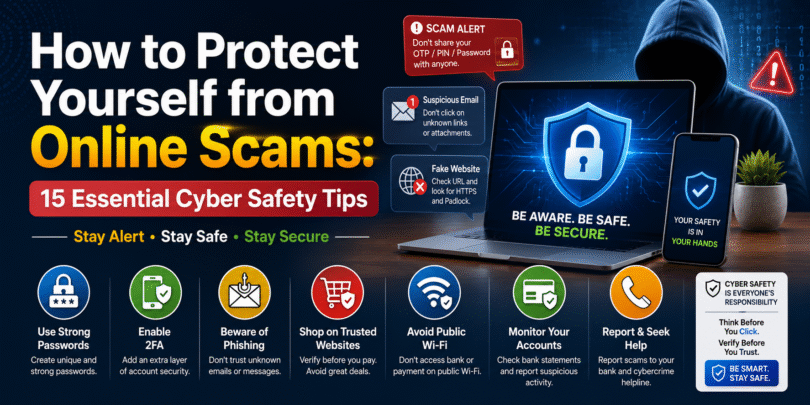

How to Protect Yourself from Online Scams: 15 Essential Cyber Safety Tips
As our lives become increasingly digital, cybercriminals are finding new ways to trick people into sharing personal information or losing money. From phishing emails and fake shopping websites to UPI fraud and investment scams, online scams are becoming more sophisticated every year.
The good news is that you can protect yourself by following a few simple cybersecurity practices. Here’s how to stay safe online in 2026.
1. Never Share OTPs or Passwords
Banks, payment apps, and government agencies will never ask for your OTP, PIN, CVV, or password over a phone call, email, or message.
Rule: Never share these details with anyone.
2. Verify Website URLs
Before entering sensitive information, check that the website:
- Uses https://
- Has a padlock icon in the address bar
- Uses the correct domain name without spelling mistakes
Fraudsters often create fake websites that closely resemble trusted brands.
3. Beware of Phishing Emails and Messages
Scammers often send emails or SMS messages claiming you’ve won a prize, need to verify your account, or must click an urgent link.
Watch for:
- Spelling and grammar mistakes
- Suspicious links
- Unexpected attachments
- Urgent requests for payment or personal information
4. Enable Two-Factor Authentication (2FA)
Two-factor authentication adds an extra layer of security by requiring a second verification step, such as a code sent to your phone or an authentication app.
Even if someone steals your password, they won’t be able to access your account easily.
5. Keep Your Devices Updated
Install software updates regularly to protect against newly discovered security vulnerabilities.
Update:
- Smartphones
- Laptops
- Web browsers
- Antivirus software
- Banking apps
6. Use Strong and Unique Passwords
Avoid using simple passwords like:
- 123456
- Password
- Your name
- Date of birth
Instead, create long passwords with a mix of letters, numbers, and symbols, and use a password manager to store them securely.
7. Avoid Public Wi-Fi for Financial Transactions
Public Wi-Fi networks can be insecure. Avoid logging into banking apps or making payments while connected to public networks unless you use a trusted VPN.
8. Verify Before You Pay
Before making online payments:
- Check seller reviews
- Confirm contact details
- Avoid paying outside trusted platforms
- Be cautious of deals that seem too good to be true
9. Watch Out for Fake Investment Schemes
Scammers often promise guaranteed high returns with little or no risk.
Remember: if an investment sounds too good to be true, it probably is.
Always verify investment companies through official regulatory sources before investing.
10. Protect Your Social Media Accounts
Enable 2FA on your social media accounts and avoid sharing personal details such as your address, travel plans, or financial information publicly.
11. Download Apps Only from Official Stores
Only install apps from trusted sources like the Google Play Store or Apple App Store.
Avoid downloading APK files from unknown websites.
12. Monitor Your Bank Accounts Regularly
Review your bank and credit card statements frequently. Report any unauthorised transactions immediately to your bank.
13. Be Cautious of QR Code Scams
Scammers may send QR codes claiming you’ll receive money after scanning them.
In reality, scanning certain payment QR codes can authorise payments from your account.
Always understand what a QR code is for before scanning it.
14. Verify Customer Care Numbers
Many fake customer support numbers appear in search results and social media posts.
Always use customer care numbers listed on the company’s official website or app.
15. Report Cybercrime Immediately
If you suspect you’ve been targeted by an online scam:
- Contact your bank or payment provider immediately.
- Change affected passwords.
- Block compromised cards or accounts.
- Report the incident to your local cybercrime authorities as soon as possible.
Quick action can help minimise financial loss.
Common Types of Online Scams
| Scam Type | How It Works |
|---|---|
| Phishing | Fake emails or messages steal login details |
| UPI Fraud | Fake payment requests or QR code scams |
| Fake Shopping Websites | Collect money without delivering products |
| Lottery Scams | Promise fake prizes in exchange for fees |
| Job Scams | Ask for upfront payments for fake jobs |
| Investment Scams | Promise unrealistic returns |
| Tech Support Scams | Pretend to fix non-existent computer problems |
| Identity Theft | Use stolen personal information for fraud |
Final Thoughts
Online scams continue to evolve, but staying informed is your best defence. By verifying websites, using strong passwords, enabling two-factor authentication, and thinking twice before clicking unknown links, you can significantly reduce your risk.
Cybersecurity isn’t just about technology—it’s about making smart decisions every time you go online.
Frequently Asked Questions
What is the most common online scam?
Phishing remains one of the most common online scams, where attackers impersonate trusted organisations to steal personal information.
How can I identify a fake website?
Look for spelling mistakes in the URL, missing HTTPS encryption, poor design, unrealistic offers, and missing contact information.
Is it safe to use public Wi-Fi?
Public Wi-Fi should not be used for banking or sensitive transactions unless you are using a trusted VPN.
Should I share my OTP with customer support?
No. Legitimate organisations will never ask for your OTP, PIN, password, or CVV.
What should I do if I become a victim of an online scam?
Contact your bank immediately, change your passwords, secure your accounts, and report the incident to the appropriate cybercrime authorities.







Leave a Comment